Coach-built course strategy
Stop guessing.
Play the shot your game can actually hit.
Other apps tell you how far. Smart Caddy tells you where to aim, which club to hit and why — using satellite hole maps, your personal shot odds and strategy from an award-winning tour and college coach.
$1/month · 30 AI caddie questions included · cancel anytime · works on any course
Golf Digest
award-winning coach
PGA Tour
coaching & playing experience
D1 NCAA
golf coach strategy
Any course
satellite maps, worldwide
Why we're different
Most golf apps are built for yardages. Smart Caddy is built for decisions.
GPS and scoring apps like 18Birdies do a great job of measuring and tracking. Smart Caddy goes after the part that actually lowers scores: choosing the right target for your game on every shot.

JJ Wood
The Players Coach
- — Golf Digest award-winning coach
- — PGA Tour coaching & playing experience
- — D1 NCAA golf coach
The coach behind the caddie
Tour-level course management, applied to your game.
JJ Wood has coached at the highest levels of the game — Golf Digest award-winning instruction, PGA Tour coaching and playing experience, and course-management work as a Division I NCAA golf coach. Smart Caddy puts that same strategy process in your pocket.
The difference: it doesn't hand you a tour player's plan. It takes your distances, your shot shape, your miss and your confidence, then builds the plan you can execute.
“Good strategy is picking the target your misses can live with.”
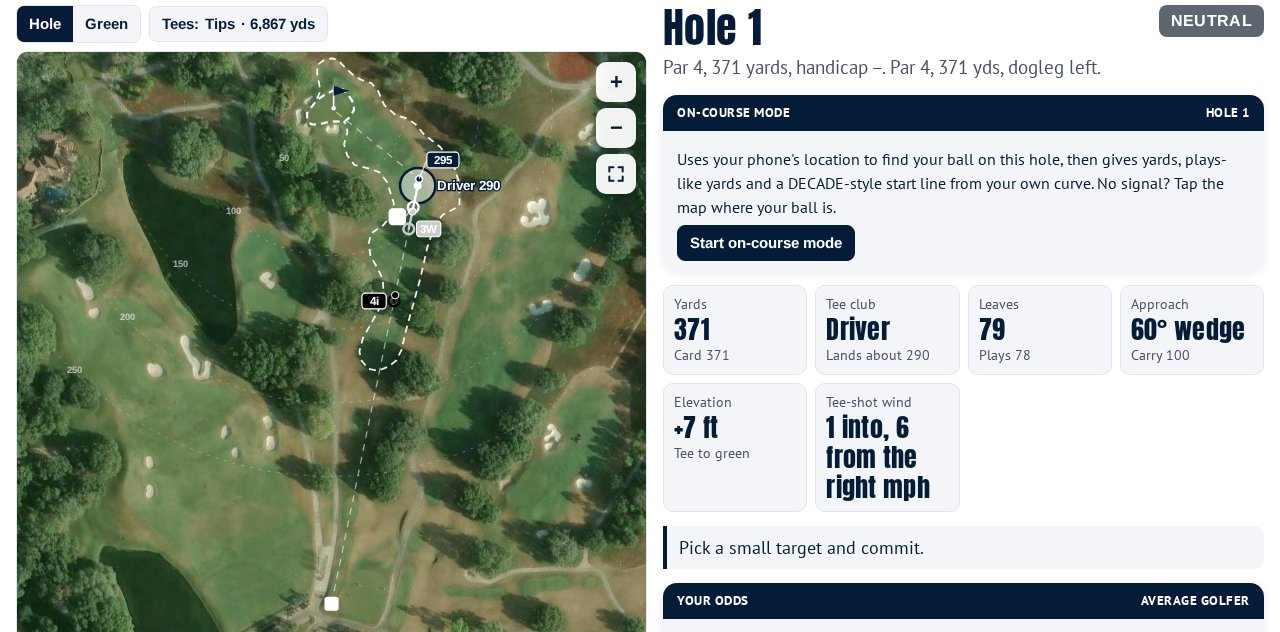
See every hole from above
A satellite yardage book for almost any course.
Pick your course and Smart Caddy builds the maps for you — no course pass, no waiting for someone to map it.
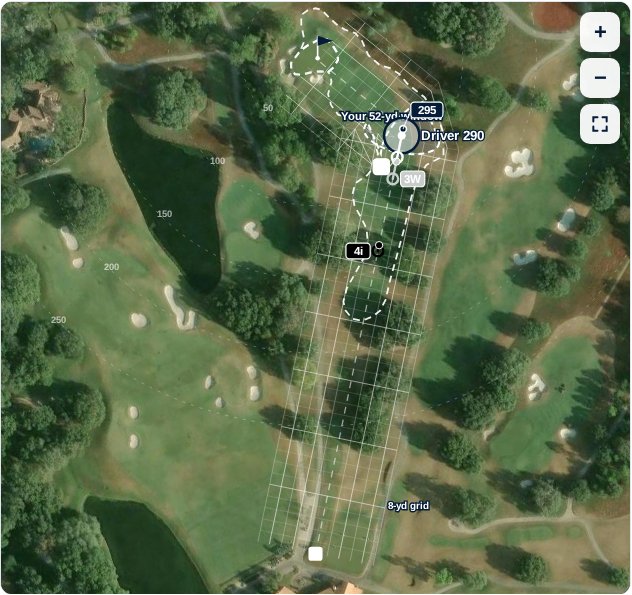
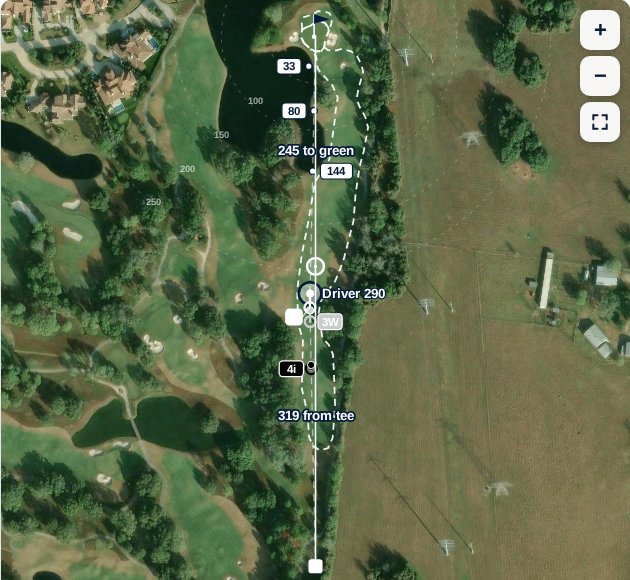
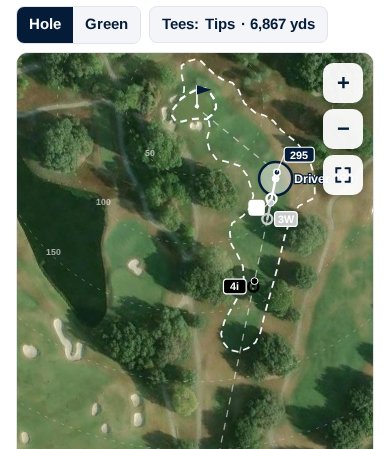
Google Earth-style satellite views
Real overhead imagery of every hole — fairways, bunkers, water, trees and greens exactly as they sit.
Tap anywhere for numbers
Tap the map to see the distance from the tee or your ball and what’s left to the green.
Pinch, zoom and full screen
Zoom into a green complex or pull back to see the whole hole, with yardage-book arcs at 50, 100, 150 and beyond.
Your personal landing window
An 8-yard strategy grid and your own shot window (inspired by Scott Fawcett’s DECADE) show where your shots really finish.
Plays-like yardages
Elevation and live wind are worked into every number, so the yardage you see is the yardage you play.
On-course mode
Uses your phone’s location to find your ball on the hole. No signal? Tap where you are.
Everything in your bag
Strategy, odds and a caddie that knows your game.
Your personal odds table picks the tee club with the lowest expected score — then tells you exactly where to start it.
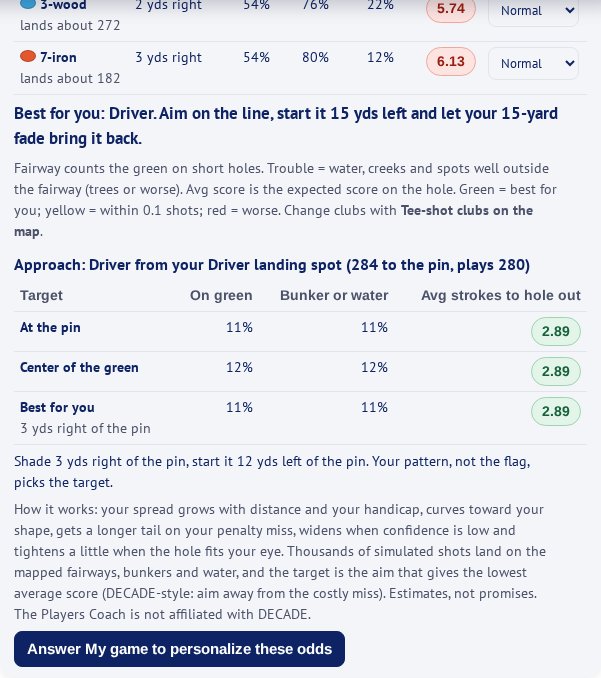
Shot strategy, hole by hole
A game plan for every hole: target, miss side, when to attack and when to play to the fat part.
Your probabilities
See your fairway, green and trouble odds plus your expected score for each tee club before you swing.
Customized to your game
Answer a short assessment once — distances, shape, miss, confidence — and every number adapts.
Ask the caddie (AI)
Ask anything: “3-wood or driver here?” “Where’s the bail-out?” Answers use your game and this hole.
Pin sheet reader
Snap a photo of the day’s pin sheet and Smart Caddy reads the hole locations into your plan.
Mental game scorecard
Track commitment and routine, not just score, so you can see what really costs you shots.
Tournament mode
Prepare for multi-round events with a plan you can rehearse before you ever tee off.
USGA legal switch
One tap hides strategy, odds and the caddie for rounds where only distance devices are allowed.
How it works
Ready before your next tee time.
- 1
Tell us your game
Two minutes: your club distances, shot shape, typical miss and how you feel over the ball.
- 2
Pick any course
Search for your course. We build satellite maps and yardages for every hole.
- 3
Play with a plan
Follow your hole-by-hole strategy, check your odds and ask the caddie when you’re unsure.
Simple pricing
Less than a golf ball a month.
The whole strategy toolkit is included. The AI caddie is $1 a month, and you only pay more if you use a lot more.
Included with your account
- Satellite hole maps and yardages for any course
- Plays-like yards with elevation and wind
- Hole-by-hole strategy and personal odds
- My game assessment and mental game scorecard
- Pin sheet reader, rounds and tournament mode
Smart Caddy plan
$1/ month
- 30 Ask-the-caddie questions every month
- Extra questions just $0.10 each, added to your next bill
- Safety cap: never more than 150 extra questions ($15) in a month
- Everything on the left, too
- Cancel anytime from your account
Secure checkout by Stripe. Your usage is shown in the app, so there are no surprises.
Native app coming soon
Put Smart Caddy on your home screen today.
Our native iPhone and Android apps are on the way. Until then, save Smart Caddy to your home screen — it opens full screen with its own icon, just like an app, and your account carries over when the native app launches.
iPhone (Safari)
- 1Open players-coach-smart-caddy.abacusai.app in Safari.
- 2Tap the Share button (the square with the up arrow).
- 3Scroll down and tap “Add to Home Screen.”
- 4Tap “Add.” Open Smart Caddy from your home screen.
Android (Chrome)
- 1Open players-coach-smart-caddy.abacusai.app in Chrome.
- 2Tap the ⋮ menu in the top-right corner.
- 3Tap “Add to Home screen” or “Install app.”
- 4Confirm, then open Smart Caddy from your home screen.
Questions
Good to know
Does it work at my course?+
Almost certainly. Search for your course and Smart Caddy builds satellite maps and yardages for every hole from public map data. Clubs with 27 or 36 holes let you pick your nines.
What counts as a caddie question?+
Each message you send to Ask the caddie. Maps, strategy, odds, pin sheets and everything else don’t use questions.
What happens after 30 questions?+
Keep asking — each extra question is $0.10, added to your next monthly bill. You can see your count in the app at any time, and extras stop at 150 a month.
Is it legal in tournaments?+
Flip the USGA legal switch and Smart Caddy hides strategy, odds and the caddie, leaving distance information only. Always check your event’s rules.
Can I cancel?+
Yes, anytime from your account page with one click.
Your next round, with a plan.
Coach-built strategy, your own odds and a caddie in your pocket — for $1 a month.
Cancel anytime · Works on any course · Native app coming soon